 Visual AnythingOpen a repo →
See any GitHub repo as a map.
Paste a public GitHub link and Visual Anything draws the repository: its folders, its files, and which file imports which. Explore it in 2D or 3D, click any file to read it.
Open a repo — it’s free →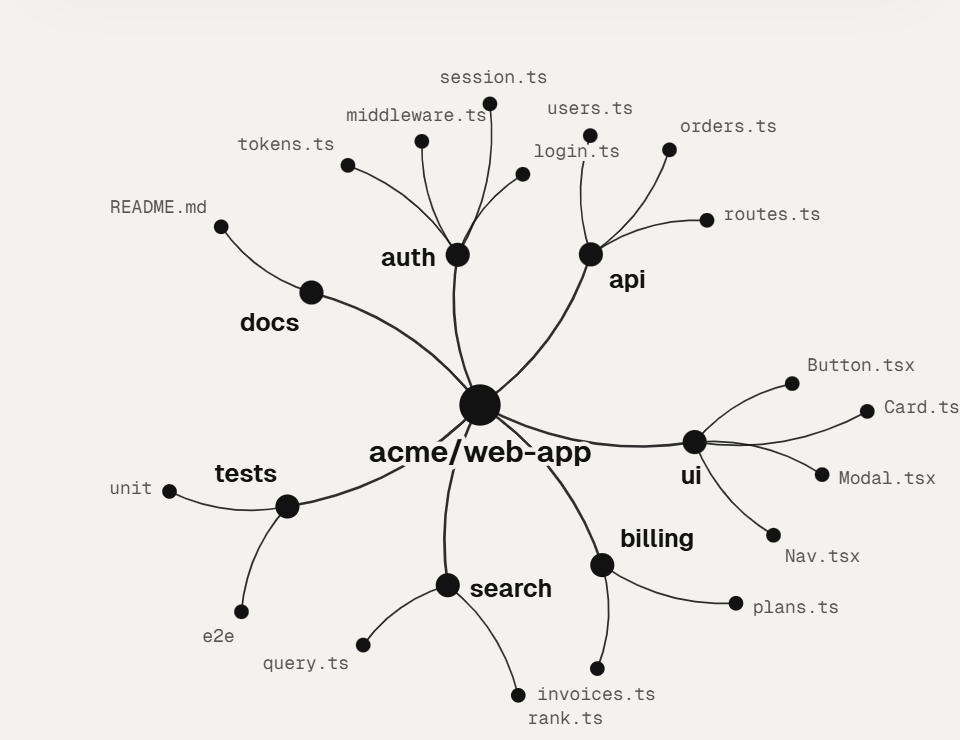
Folders and files, as a tree
The repository is the centre; its folders branch out and their files hang off them. Big folders fold into one bubble you can open.
Imports between files
Point at a file to see what it imports and what imports it - or show every import line at once.
Read the code in place
Click a file to open it beside the map, with the part you clicked lit up.
Its recent history
Step back through the recent commits and watch files appear, change and go.
Tip: a link like visualanything.com/app?repo=owner/repo opens that repository straight away (it asks first).
Good to know
Does it work with private repos?
It reads public GitHub repositories. For your own private code, open the folder on your computer instead - it never leaves your device.
Do I need an account?
No. Making and exploring maps is free and needs no account.