 Visual AnythingOpen your vault →
Your Obsidian vault, in 3D.
Pick your vault folder: every note becomes a node and every [[wiki link]] becomes a line. Explore it in 3D or flat in 2D, and click a note to read it beside the map.
Open your vault — it’s free →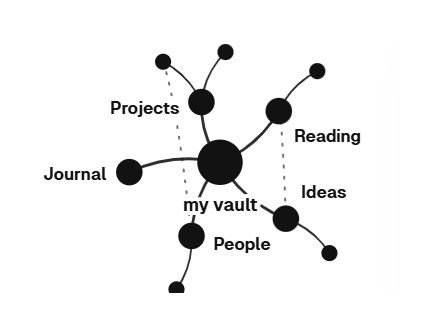
Notes and [[links]]
Each note is a node; every [[link]] is a line between them, so clusters of related notes show up on their own.
Focus on one note
Click a note to see just it and the notes it links to, close up.
Calm, even when it is big
Fold the less-linked notes of a crowded folder away with one slider, and bring them back when you need them.
Read without leaving the map
A reading panel shows the note beside the map; your notes are never changed.
Logseq graphs and plain folders of Markdown work the same way.
Good to know
Does it change my notes?
No. It reads your vault; it never edits or deletes your notes.
Where does my vault go?
Nowhere - it is read on your computer and stays there. No account and no cloud sync.