 Visual AnythingOpen your project →
Built it with AI? See how it fits together.
Cursor, Claude Code, Copilot, Windsurf, Lovable, Bolt, Replit - whichever you build with, the code piles up faster than you can read it. Open the project and Visual Anything draws it as a map you can explore.
Open your project — it’s free →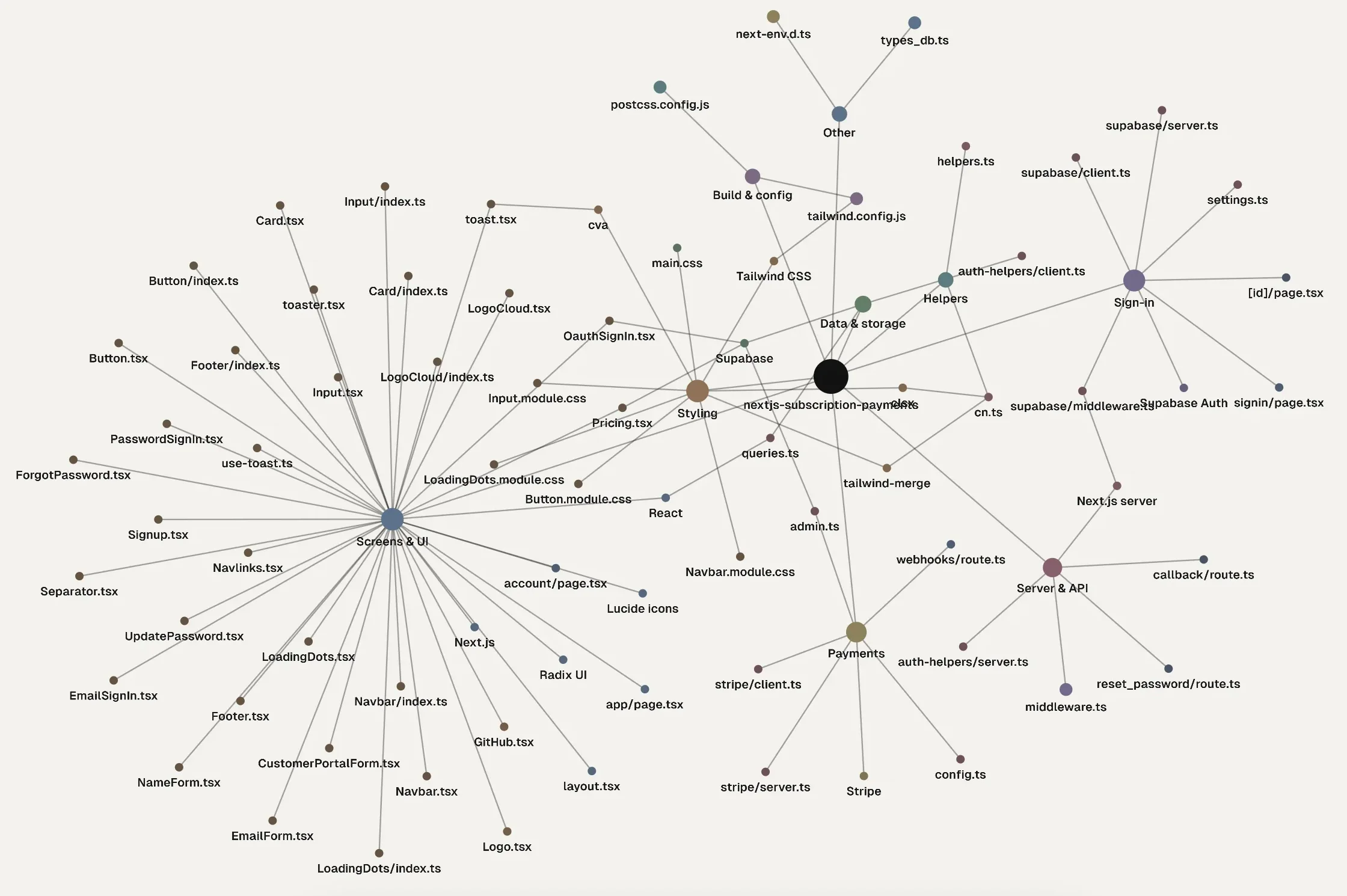
Your app, by what it does
Design view sorts the files into parts - screens, styling, data, server, sign-in, payments, AI - with the tools each part uses, like React, Stripe or Supabase.
What uses what
Point at a file to see what it imports and what imports it, before you ask the AI to change it.
Read the code in place
Click a file to open it beside the map, with the part you clicked lit up.
Hand the map to your AI
Copy the map as a short outline and paste it into ChatGPT or Claude, so it knows how your project is laid out.
Code on public GitHub? Paste the link. Anywhere else, open the project folder on your computer.
Good to know
My project is in Lovable or Bolt - does it work?
Yes. Connect the project to GitHub from there: if the repository is public, paste its link here; if it is private, download it and open the folder.
Does my code get uploaded?
No. A folder you open is read on your computer and stays there.
Do I need an account?
No. Making and exploring maps is free and needs no account.